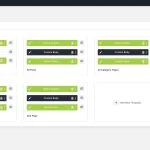
Divi 5 is now available, bringing a rebuilt foundation focused on performance, a modernized builder experience, and a growing list of new features. One of the latest additions is Editable Theme Builder Areas, also referred to as complete site editing. Instead of leaving the Visual Builder to open…
Elegant Themes
Divi 5: Semantic Elements vs Role Attributes

In an era where WCAG compliance, semantic HTML, and AI-assisted search experiences matter, modern website builders are evolving to make accessibility and meaningful structure standard rather than an afterthought. Divi 5 is part of that shift, making it easier for Divi users to build sites with clearer structure…
The Optimal Divi 5 Workspace Setup For Power Users

When you’ re building complex sites, a few deliberate adjustments to your environment can save hours each week by reducing friction and keeping you focused on the work that matters. Divi 5 makes this easier with workspace tools that adapt to how you work instead of slowing you down….
4 Nested Sliders For Divi 5 (Free Download!)

Divi 5 makes it easy to build interactive layouts that feel polished without adding unnecessary complexity. In this free pack, you will find 4 Nested Sliders, designed for testimonials, featured content, portfolio highlights, product spotlights, and other content that benefits from layered navigation. Drop one onto any page, …
Everything You Need To Know About Speculative Prerendering In Divi 5

As a designer, every moment spent waiting for builder actions to load can break your creative flow. Speed is not just about your site’ s visitors. It also matters inside your workflow, especially when you are entering the builder, exiting it, or switching between pages throughout a build session….
How To Design Popups In Divi 5 (Three Different Ways)

Popups are one of the most effective tools for driving conversions and engagement. Whether you want to grow your email list, promote a limited-time offer, capture leads, or guide visitors toward a key action, a well-designed popup can deliver impressive results. In some cases, you can significantly increase…
Effectively Navigate Content in Divi 5 (New Shortcuts & Content Drill-Down)

You’ ve clicked into a module to change some text. Now you need to edit the one next to it, so you close the settings and click into the neighboring module. Then you repeat the process for the third module in that row. Each edit requires opening settings, making…
Creating Interactive Product Cards With Divi 5’s Loop Builder

A product image needs to do two things at once: draw the reader in visually and give them enough context to take action. But loading every detail onto the card upfront quickly clutters the layout and competes with the image itself. An image hover reveal solves that neatly….
How To Create Looping Semantic Lists In Divi 5
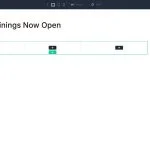
Card-based layouts dominate modern web design, from blog archives and team directories to product catalogs and portfolio grids. Search engines and assistive technologies interpret these layouts through HTML structure, not visual appearance. A grid of blog post cards that looks organized to sighted users may appear as disconnected…
How To Create A Tilt Image Effect With Divi 5’s Interactions
A tilt effect on hover is one of those small details that makes a layout feel considered. The image shifts with the cursor, pulls back slightly, and suddenly the whole page feels alive. Portfolio sites and product pages lean heavily on this effect, and for good reason: it…
Divi 5.1 Release Notes

It’ s official; the beta phases have ended, and Divi 5 has arrived! This isn’ t the end; it’ s a new beginning for Divi, and we are moving forward faster than ever with weekly updates. If you use Divi 5, you’ ll see a version 5.1 update notification today. What’ s New…
Everything You Need To Know About The Command Center In Divi 5
Divi 5 is out of beta and ready to use. With that in mind, we’ d like to highlight one of its newest workflow features: the Divi 5 Command Center. The Command Center is a keyboard-driven command system built directly into the builder. It lets you execute actions quickly…
Code Modules vs Custom HTML Wrappers In Divi 5
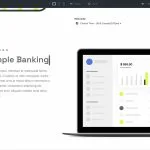
One of Divi 5‘ s most practical newer features, Custom HTML Wrappers, adds two dedicated fields — HTML Before and HTML After — inside the HTML option group in the Advanced tab. These let you place custom HTML directly before or after an element’ s output, putting code exactly where…
How To Build Your Own Design System With Nested + Stacked Presets In Divi 5
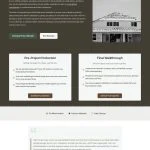
Design systems fail either because they don’ t account for every possibility or because they become too complicated to manage. A standard website needs styles for headings, body text, buttons, and containers (to name a few). Multiply those across light and dark backgrounds, different sizes, and other use cases, …
How To Efficiently Manage Your Pages Inside The Divi 5 Builder Itself
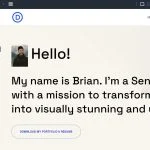
Most of the time you spend in Divi 5, you’ re deep inside one page. But site builds rarely involve just one page, and going back to the WordPress dashboard every time you need to manage another one pulls you away from what you were doing. That’ s why we…
7 Large List Sections For Divi 5 (Free Download!)
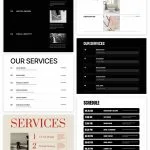
Divi 5 makes it easy to display information in a way that is clean, scannable, and easy to compare. In this free pack, you will find 7 Styled Large List Sections, designed for services, feature breakdowns, step-by-step processes, schedules, specs, and other data-heavy content. Drop one onto any…
Everything You Need To Know About The Page Manager In Divi 5

Divi 5 keeps getting better at keeping you on task when you are in the builder. The new Page Manager lets you navigate to any page on your site, create new ones, and manage existing ones — all without touching the WordPress dashboard. It’ s a small addition with…
Mastering Global Colors In Divi 5

Divi 5 improves color management for WordPress websites by introducing a variable-based color system designed for modern, scalable workflows. At its core is a redesigned Color Picker integrated with Design Variables, leveraging HSL (Hue, Saturation, and Lightness) and Relative Colors to create dynamic, interconnected palettes that update seamlessly…
Editable Theme Builder Areas For Divi 5! (Complete Site Editing)
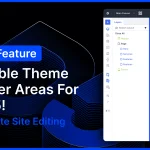
Divi 5 now supports complete site editing in the builder, allowing you to edit your header, footer, body layouts, and page content at once. Your entire site, from top to bottom, can be edited in a single step. You don’ t have to exit to the Theme Builder. It’ s…
WooCommerce And Divi 5: The Complete Ecommerce Guide
Building an online store used to mean balancing design and functionality. You wanted a store that looked polished, felt on-brand, and worked smoothly at checkout, but achieving all three often took extra effort. Divi and WooCommerce have long been a strong combination for building online stores, and Divi…
