Welcome back to the Divi 5 Mastery Course. In Part 5, we built the full homepage for our coworking space website from scratch, using the Design Variables from Part 3 and the Option Group Presets and Element Presets from Part 4 to keep the design consistent. Now, in…
Elegant Themes
Part 5: Building A Divi 5 Homepage From Scratch
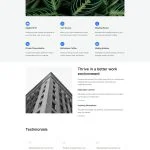
In Part 4, we turned the Design Variables from Part 3 into a library of Option Group Presets and Element Presets. Now, the design system is in place. Every color, font size, spacing value, border, and button style is either saved as a reusable preset or available as…
5 Bordered Layout Sections For Divi 5 (Free Download!)

Divi 5 makes it easy to create clean, structured layouts with strong visual definition. In this free pack, you’ll get 5 Styled Border Layout Sections that are perfect for landing pages, portfolios, service sections, team highlights, editorial layouts, product features, and more. Each section uses borders, spacing, typography, …
Part 4: Mastering Divi 5 Presets For Faster, More Consistent Web Design

Welcome back to the Divi 5 Mastery Course. In Part 3, we built a library of Design Variables for our coworking space website, including colors, fonts, numbers, images, text, and links. Now, in Part 4, we’ll turn those variables into a reusable design system using Divi 5 Presets….
Part 3: Creating A Divi 5 Global Design System With Design Variables
In Part 2, we walked through the major parts of the Divi 5 interface. You now know where the main tools live and how the builder is organized. In Part 3, we’ll focus on a small but important part of that interface: Design Variables. Design Variables are named, …
Part 2: Exploring Every Aspect Of The Divi 5 Interface

Welcome back to the Divi 5 Mastery Course. In Part 1, we covered everything you need to prepare before opening the Builder, from installing WordPress and Divi to gathering your brand assets, sitemap, and content for the coworking space website we’ll build together. Now that you’re prepared, it’s…
Part 1: What To Prepare Before Building Your Divi 5 Website
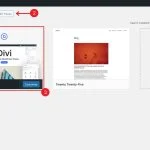
Welcome to the Divi 5 Mastery Course — a hands-on series that takes you from a blank WordPress install to a fully designed, launched website. Over 15 parts, you’ ll build a complete site for a coworking business from scratch using Divi 5, learning every major feature along the…
Divi 5 Sizing System & Color Palette Variable Generator
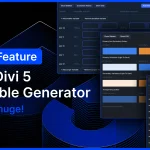
I am excited to introduce the Variable Generator for Divi 5. At the core of Divi 5’ s design system are variables and presets. With advanced units, you can create fluid, responsive sizing systems using clamp(). With relative colors, you can create mathematically beautiful color systems using HSL. When…
How To Build Custom Sidebar Navigation With Divi 5 Interactions
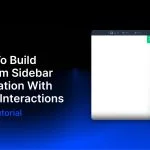
Side navigation is a familiar pattern because it keeps the main header simple while still making a full menu available when needed. It is common on mobile, but it can also work well on desktop when a design calls for a minimal header with a logo and hamburger…
How To Build Mega Menus With Divi 5’s Dropdown Module

Divi 5 gives you a much more flexible way to build navigation than older Divi workflows. With the Link and Dropdown modules, plus features like Canvases, the Loop Builder, Interactions, and visibility settings, you can create custom dropdowns and mega menus directly inside Divi without relying on third-party…
How To Mask Text In Divi 5

Some design effects look more complex than they are. Text masking is one of them. It looks like something you would need Photoshop, custom CSS, or a developer to create, but the basic effect can be built directly in Divi 5 using native background, color, and blend mode…
How To Build Custom Menus With Divi 5’s Link & Dropdown Modules

Divi has always given you ways to create custom menus, most notably with the classic Menu module. That module is still useful, but it is also an all-in-one system, which means it can feel limiting when you want full control over structure, styling, dropdown behavior, or mobile navigation….
Divi 5.3 Release Notes
It’ s official; the beta phases have ended, and Divi 5 has arrived! This isn’ t the end; it’ s a new beginning for Divi, and we are moving forward faster than ever with weekly updates. If you use Divi 5, you’ ll see a version 5.3 update notification today. What’ s New In…
Complete Site Editing: Divi 5 vs Divi 4 vs Elementor vs Bricks
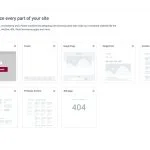
Editing a website rarely happens in one place. You build a page, notice something off in the header, then leave to adjust a template. A few minutes later, you jump again to change a footer or archive layout. That context switching adds friction, especially when you are managing…
Nested Options Presets for Divi 5
Divi 5’ s preset system is the most powerful class-based design system of any WordPress page builder. In fact, Divi 5 presets encapsulate far more than just CSS; they are stackable, nestable global components. Additionally, Divi offers the unique concept of option presets that allow you to create shared styles for…
Better Form Styling, Field Presets, Focus Editing, And CF7 Module for Divi 5
There’ s so much to talk about in this Divi 5 feature update! We harmonized field options across all form-based modules, adding additional styling options for form elements such as radio buttons and checkboxes. In addition to hover editing, we added new editing modes for field-based pseudo-classes, such as…
4 Grid Styles For Divi 5 (Free Download!)
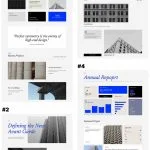
Divi 5 makes it easy to build clean, visually engaging layouts with more structure and variety. In this free pack, you’ll get 4 Styled Grid Layout Designs that are perfect for landing pages, portfolios, featured content sections, editorial layouts, business pages, and more. Each one gives you a…
Queueing Commands In Divi 5 To Build Your Layouts

Building a new section on a site with an established design system is where Divi 5‘ s Command Center becomes especially useful. On a site without presets, creating a new section usually means two separate tasks. First, you build the structure. Then you open the settings panel and apply…
Semantic Links vs Dynamic Click Areas In Divi 5
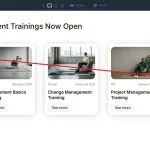
Links are the connective tissue of the web. When they are built correctly, they help users move through content, give search engines clearer signals about page relationships, and provide assistive technologies with predictable navigation. When they are built poorly, they can create friction for users and reduce the…
How The Command Center Changes The Divi 5 Workflow
Divi 5 gives you more than one way to work. You can click through settings panels and modals when you want fine-grained control. You can use keyboard shortcuts for speed when performing smaller, repeatable actions. The Command Center adds a third option. It lets you trigger more complex…
