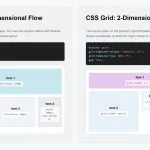
Before Divi 5, building layouts that broke out of Divi’s standard column structures often meant nesting rows, writing custom CSS, or settling for a simpler design. Divi 5 changes that by bringing CSS Grid into the Visual Builder. CSS Grid gives you precise control over two-dimensional layouts. Instead…
Elegant Themes
How To Build A Flexbox Header In Divi 5
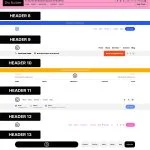
A header layout is a structural problem before it is a visual one. The logo, navigation, icons, and CTA need a clear relationship. You need to decide where each item sits, how much space separates it, and what changes on smaller screens. Flexbox solves that problem with layout…
Everything You Need To Know About Divi 5’s Nested Option Presets

Divi 5‘ s preset system makes it easier to create, reuse, and maintain consistent styles across an entire website. Instead of rebuilding the same button, border, form field, or card style again and again, you can save those styles as presets and apply them wherever they fit. With the…
5 SVG Sections For Divi 5 (Free Download!)
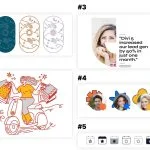
Divi 5 gives you a flexible way to build polished visual sections with clean layouts, modern styling, and lightweight design elements. In this free pack, you’ ll get 5 SVG Sections for Divi 5 that you can use to add decorative graphics, illustrated content blocks, testimonial visuals, profile accents, …
How To Build Custom Woo Checkout Pages In Divi 5
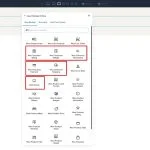
Most WooCommerce stores put real thought into their homepage and product pages, but the checkout often feels like a completely different site. Generic fields, uneven spacing, and a layout that looks out of the box can weaken trust at the exact moment a customer is deciding whether to…
17 Graphs & Charts For Divi 5 (Free Download!)
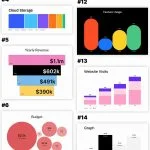
Divi 5 makes it easy to create polished, visual sections that help data feel clear, organized, and engaging. In this free pack, you’ll get 17 Graphs & Charts sections for Divi 5 that are perfect for showcasing website visits, revenue, growth, campaign performance, comparisons, timelines, reports, dashboards, analytics…
How To Build A Horizontal Blog Loop In Divi 5
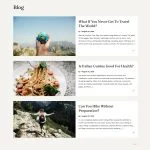
WordPress can show posts on a blog page automatically, but the default output rarely gives you full control over the actual card structure. The image position, meta layout, excerpt placement, and read more link all follow a preset pattern unless you start customizing the theme or working around…
Part 10: Mastering Flexbox In Divi 5

Welcome back to the Divi 5 Mastery Course. In Part 9, we built the core inner pages of the coworking website. Now, it’s time to dig deeper into the Flexbox Layout System that helped make those pages possible. Divi 5 brings Flexbox controls directly into the Visual Builder, …
Part 9: Building The Core Inner Pages Of Your Divi 5 Website

In Part 5, we built the homepage for our coworking space website. Then, in Part 6 and Part 7, we added a global header and footer using the Theme Builder. In Part 8, we created global templates for posts, archives, search results, and 404 pages. Now, we’re ready…
Everything You Need To Know About Divi 5’s New Form Field Options

Divi 5 continues to add new design-system features, and this update focuses on form styling. The new form field options introduce dedicated Input, Checkbox, and Radio option groups, new focus and checked editing states, form field presets, and a new Contact Form 7 module. Together, these updates give…
Divi 5.5 Release Notes

It’ s official; the beta phases have ended, and Divi 5 has arrived! This isn’ t the end; it’ s a new beginning for Divi, and we are moving forward faster than ever with weekly updates. If you use Divi 5, you’ ll see a version 5.5 update notification today. What’ s New In…
Aspect Ratio, Image Framing & Image Presets for Divi 5

I am excited to introduce a host of new image settings for Divi 5. First, we added new aspect ratio settings to all images. Elements with aspect ratios scale proportionally across different screen sizes. Next, we added framing settings that allow you to reposition cropped images within a…
How To Enable Composable Settings By Default Using Presets In Divi 5
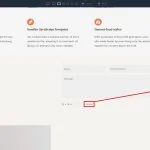
When you’ re building in Divi, you generally expect design controls to stay consistent no matter where you are in the builder. Open the sub-element settings inside certain modules, though, and the available options can be more limited than you expect. Controls that are available elsewhere may be missing, …
Part 8: Using Divi 5’s Theme Builder To Create Global Website Templates
Welcome back to the Divi 5 Mastery Course. In Part 7, we completed the bottom of every page with a custom global footer that matches the header we built in Part 6. Both global areas were styled with the Design Variables from Part 3 and the Presets from…
Part 7: Building A Custom Footer In Divi 5
A site footer is an important part of the overall build because it appears across the site, carries essential business details, reinforces the brand, and gives visitors one last clear path to contact you. That makes it the perfect place to bring together Divi 5’s Theme Builder, Design…
Part 6: Building A Custom Header And Navigation In Divi 5
Welcome back to the Divi 5 Mastery Course. In Part 5, we built the full homepage for our coworking space website from scratch, using the Design Variables from Part 3 and the Option Group Presets and Element Presets from Part 4 to keep the design consistent. Now, in…
Part 5: Building A Divi 5 Homepage From Scratch
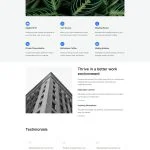
In Part 4, we turned the Design Variables from Part 3 into a library of Option Group Presets and Element Presets. Now, the design system is in place. Every color, font size, spacing value, border, and button style is either saved as a reusable preset or available as…
5 Bordered Layout Sections For Divi 5 (Free Download!)
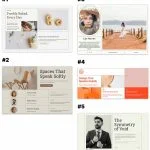
Divi 5 makes it easy to create clean, structured layouts with strong visual definition. In this free pack, you’ll get 5 Styled Border Layout Sections that are perfect for landing pages, portfolios, service sections, team highlights, editorial layouts, product features, and more. Each section uses borders, spacing, typography, …
Part 4: Mastering Divi 5 Presets For Faster, More Consistent Web Design

Welcome back to the Divi 5 Mastery Course. In Part 3, we built a library of Design Variables for our coworking space website, including colors, fonts, numbers, images, text, and links. Now, in Part 4, we’ll turn those variables into a reusable design system using Divi 5 Presets….
Part 3: Creating A Divi 5 Global Design System With Design Variables
In Part 2, we walked through the major parts of the Divi 5 interface. You now know where the main tools live and how the builder is organized. In Part 3, we’ll focus on a small but important part of that interface: Design Variables. Design Variables are named, …
