
Divi 5 makes it easy to introduce the people behind your brand with team sections that feel intentional, polished, and visually distinctive. In this free pack, you’ll get 9 Creative Team Sections for Divi 5 that are perfect for agencies, startups, creative studios, company websites, about pages, leadership…
Elegant Themes
Build Fancy Loops With Divi 5’s New CSS Grid Editor

A dynamic blog grid needs two things to work well together: content that can change and a layout that can keep up with it. New posts get published, categories grow, and the number of items returned by a query changes over time. The goal is to build the…
Everything You Should Know About The Loop Filter Modules In Divi 5

Divi 5‘ s Loop Builder lets you turn Divi elements into dynamic feeds for posts, products, projects, custom post types, and other queried content. You design one repeated item, connect it to Dynamic Content, and let Divi populate the layout from WordPress. The new Loop Filter Modules add the…
Divi Product Highlight: Divi Sensei Icons

Divi 5 includes a native icon system that makes icons easy to add and style throughout the Visual Builder. For projects that need a much larger selection, Divi Sensei Icons by Divi Sensei expands that same workflow with thousands of additional choices. Built specifically for Divi 5, the…
Using Aspect Ratio To Design Cleaner Loops in Divi 5
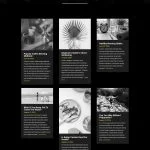
A blog grid can look perfectly aligned while you’ re designing it with placeholder content, then fall apart as soon as real posts start loading in. One author uploads a wide screenshot, another uses a portrait photo, and somebody else adds a square image from the brand library. The…
What Is A Theme Builder? Site Building With WordPress
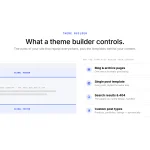
You build the homepage first. Then an about page, then a contact page. By the third one, you have the rhythm of it: drop in a section, add your content, style it, publish. One page, one design. Then you get to the blog. The rules change without warning….
Build Grids Visually With Divi 5’s New CSS Grid Editor (New Feature)
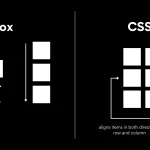
Divi 5 already gives you a complete CSS Grid system for building two-dimensional layouts inside the Visual Builder. You can define columns and rows, control gaps and track sizes, use premade grid structures, and create Grid Offset Rules for layouts where certain items need to span or move…
7 Square Grids For Divi 5 (Free Download!)
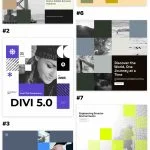
Divi 5 makes it easy to create structured layouts where imagery, text, stats, and supporting content work together as one composition. In this free pack, you’ll get 7 Square Grids for Divi 5 that are perfect for hero sections, agency websites, portfolios, company pages, service sections, project showcases, …
Divi Product Highlight: Divi Carousel Module
Carousels give you a compact way to present repeating content without turning a page into a long stack of cards. They can work especially well for testimonials, team members, portfolio projects, images, products, logos, and other content visitors may want to browse. Divi Carousel Module by DiviGear brings…
How To Create A Typography System With Variable Fonts In Divi 5
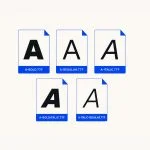
A strong typography system is more than choosing a heading font and a body font. It defines how type scales, how different text roles relate to each other, and which decisions stay consistent as the website grows. Variable fonts make that system much more flexible. Instead of choosing…
How To Customize The Divi 5 Builder Interface With Workspaces

The Divi 5 Visual Builder is highly customizable. Panels can be opened, closed, docked, floated, resized, and combined into tabs. You can also choose which top bar icons appear, change the interface mode and color scheme, set a default view, and control other builder preferences. That flexibility becomes…
Divi Product Highlight: Divi Essential

Clear, well-organized navigation helps visitors understand a website and move through it with confidence. That becomes especially important on content-heavy sites, where documentation, categories, account pages, products, or other nested content need a structure that remains easy to scan. Divi Essential by Divi Next expands the Divi toolkit…
Part 10 Of Mastering Flexbox: Best Practices & Helpful Tips
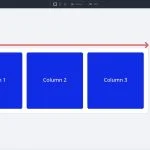
In Part 9 of our Mastering Flexbox series, we showed how Column Class works with Layout Wrapping, Gap, Justify Content, Align Items, and Display Order to create responsive multi-column layouts without reaching for CSS Grid for every pattern. Over the course of this series, you’ ve learned the core…
How To Create Magazine-Style Blog Posts With Divi 5’s New Text Styling Options

Print magazines built reader trust through typography long before the web existed. The way a headline breaks, how wide a column runs, where a paragraph breathes, and how a section begins all tell readers how to move through the page before they read a single sentence. That same…
5 Large Quotes For Divi 5 (Free Download!)

Divi 5 makes it easy to create bold testimonial and quote sections that feel more visual, branded, and memorable. In this free pack, you’ll get 5 Large Quote designs for Divi 5 that are perfect for testimonials, reviews, client quotes, case studies, landing pages, service pages, creator websites, …
7 Variable Font Combinations (New Feature)

Picking a font used to be a short decision. You chose the font, picked a weight, adjusted the size, and moved on. Variable fonts change that workflow. One font can include a range of adjustable axes, and each axis changes something about how the letters are drawn. Inside…
How To Stack, Nest, Mix, And Match Presets In Divi 5
Most Divi 5 users start with presets by saving one complete style at a time. That works for simple reuse, but it can quickly turn into a long list of similar presets: one card preset for a light version, another for a dark version, another with a different…
Divi 5.11 Release Notes

It’ s official; the beta phases have ended, and Divi 5 has arrived. This isn’ t the end; it’ s a new beginning for Divi, and we are moving forward faster than ever with weekly updates. If you use Divi 5, you’ ll see a version 5.11 update notification today. If you want…
Part 9 Of Mastering Flexbox: Creating Responsive Columns Without CSS Grid
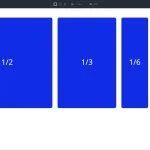
In Part 8 of our Mastering Flexbox series, we focused on controlling spacing with Gap instead of relying on margin for repeated spacing patterns. We saw how Horizontal Gap and Vertical Gap help create cleaner, more consistent spacing across rows, columns, and Module Groups. Now, in Part 9, …
Is AI Going To Kill WordPress?

Ask around right now whether AI is going to kill WordPress, and you’ ll get wildly different answers depending on who you ask. Somewhere out there is a LinkedIn post you’ ve probably already seen, arguing WordPress is basically dead — that nobody in their right mind would start a…
