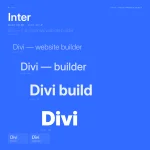
Have you ever used a variable font before? A traditional font family gives you a fixed set of styles: maybe Light, Regular, Medium, and Bold. If you want something between Regular and Bold, you usually need another font file, and if that exact weight does not exist, you…
Elegant Themes
Everything You Need To Know About Workspaces In Divi 5

The Divi 5 Visual Builder is highly customizable. You can open and close panels, dock them to either side of the screen, float them over the canvas, resize them, group them into tabs, choose which top-bar icons appear, and switch between light and dark modes. That flexibility is…
5 Hover Effects You Can Create With Aspect Ratio And Framing In Divi 5

Hover effects make a page feel more intentional. A card shifts, an image reveals more detail, or a button stretches slightly, and the layout starts to feel designed instead of simply assembled. In Divi 5, you can create many of these interactions with the same Aspect Ratio and…
5 Best WordPress Theme Builders in 2026 (Compared)
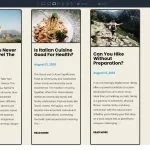
Theme builders give you visual control over the parts of your site that themes normally lock down: headers, footers, blog archives, product pages, 404s, and everything in between. Instead of editing PHP files, you control it all through drag-and-drop editing. Though I’ ve never built a custom theme with…
7 Text Overlapping Image Designs For Divi 5 (Free Download!)
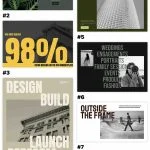
Divi 5 makes it easy to create bold visual sections where typography and imagery work together. In this free pack, you’ll get 7 Text Overlapping Image Designs that are perfect for hero sections, portfolio intros, photography websites, creative agencies, service pages, editorial layouts, event pages, product showcases, and…
Part 7 Of Mastering Flexbox: Building Flexible Button, Menu, And Link Rows

In Part 6 of our Mastering Flexbox course, we shared key tips for building responsive layouts in Divi 5 with cleaner structure, smarter breakpoint decisions, and real-content testing. Now, in Part 7, we’ ll focus on smaller layout patterns that appear on almost every website: button groups, navigation menus, …
How To Create Reusable Border And Shadow Presets In Divi 5
Styling one border or shadow is quick. Keeping that same border or shadow consistent across an entire site is harder. A card gets one border. A column gets a slightly different one. A button shadow is copied from another page. Then the design direction changes, and you have…
Part 6 Of Mastering Flexbox: Key Tips For Building Responsive Layouts
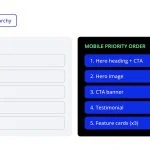
In Part 5 of our Mastering Flexbox series, we showed you how to use Display Order and Wrap Reverse in Divi 5 to create more intentional mobile stacking flows without duplicating sections or writing custom CSS for common reordering patterns. Now, in Part 6, we’ re bringing the workflow…
Part 5 Of Mastering Flexbox: Reordering Content For Better Mobile Layouts
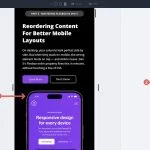
In Part 4 of our Mastering Flexbox series, we showed you how to align content without hidden spacers or custom CSS by using Justify Content, Align Items, Grow To Fill, Module Groups, and Nested Modules. Now it’ s time to solve another common responsive layout challenge: mobile stacking order….
Part 4 Of Mastering Flexbox: Aligning Content Without Spacers Or Custom CSS

In Part 3 of our Mastering Flexbox series, we explored Layout Wrapping, the differences between Wrap and No Wrap, how Align Content affects wrapped multi-line layouts, and how Wrap Reverse and Display Order can improve responsive flow. In this fourth installment, we’ ll focus on one of the most…
5 Tetris Designs For Divi 5 (Free Download!)
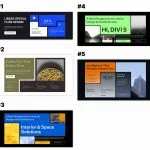
Divi 5 makes it easy to create structured layouts with strong visual rhythm. In this free pack, you’ll get 5 Tetris Designs that are perfect for landing pages, service sections, feature highlights, portfolio sections, product pages, agency websites, content blocks, call-to-action areas, and more. Each design uses modular…
5 Best WordPress Page Builders in 2026 (Expert Picks)
Page builders changed what’ s possible for non-developers in WordPress. Before they existed, customizing page layouts meant editing PHP templates and writing pages of CSS. Now, drag-and-drop interfaces let anyone build professional pages without touching code. I have used page builders across dozens of client projects over the years….
Divi 5.9 Release Notes

It’ s official; the beta phases have ended, and Divi 5 has arrived! This isn’ t the end; it’ s a new beginning for Divi, and we are moving forward faster than ever with weekly updates. If you use Divi 5, you’ ll see a version 5.9 update notification today. The majority of…
How To Build A Flexbox Footer In Divi 5

Footers often get built after the rest of the page is done, and that usually shows. Columns stop lining up, spacing feels inconsistent, and the layout starts to fall apart as soon as you check it on smaller screens. Divi 5 gives you a better way to build…
How To Build A Multi-Level Preset System In Divi 5
Presets are useful on their own. You save a style, apply it to an element, and avoid rebuilding the same design by hand. But once a site grows, isolated presets are not enough. A button preset, a border preset, a spacing preset, and a color value may all…
Leveraging Divi 5’s New Image Group Presets (No Need For Photoshop!)

Every web designer has done this at some point. You add an image to a layout, notice the crop is wrong, open Photoshop, adjust the file, export it, upload it again, and move on. Then the client replaces the image. The crop breaks again, the visual rhythm disappears, …
Introducing the CSS Grid Editor for Divi 5
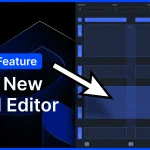
I am excited to announce the new CSS Grid Editor for Divi 5! Divi 5 embraces CSS Grid. It comes with tons of flexible grid templates and all the options you could ever need to build every grid layout imaginable. Today, we are taking things a step further…
Exploring Divi 5’s New Tooltip Module
Divi 5 keeps turning common custom-code workflows into native builder features, and the new Tooltip module is a good example. It lets you add a floating popup panel beside another element and control its content, trigger, position, movement, arrow, timing, and styling visually. Instead of wiring up a…
7 Chopped Text Designs For Divi 5 (Free Download!)
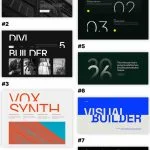
Divi 5 makes it easy to create bold, editorial-style sections that use typography as the main visual element. In this free pack, you’ll get 7 Chopped Text Designs that are perfect for hero sections, landing pages, portfolio intros, product launches, architecture websites, creative agencies, editorial layouts, event pages, …
5 Useful Things You Can Do With Aspect Ratio in Divi 5
A layout can be carefully designed and still feel inconsistent once real content is added. Images arrive in different shapes. Team headshots come from different sources. Blog thumbnails, embeds, and dynamic content do not always reserve the space your layout expects. That is where aspect ratio becomes useful….
