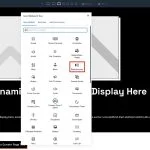
Divi 5 now includes a native Breadcrumbs module, giving you a built-in way to add breadcrumb navigation to pages, posts, archive templates, and Theme Builder layouts. Breadcrumbs help visitors understand where they are on your site and give them a quick path back to higher-level pages or categories….
Elegant Themes
Part 3 Of Mastering Flexbox: Wrap vs No-Wrap Structure Templates
In Part 2 of our Mastering Flexbox series, we showed you how to create equal-height cards with aligned buttons using Align Items > Stretch, Justify Content > Space Between, and Grow To Fill. In this third installment, we’ ll focus on one of the most important structure decisions in…
Creating A Fluid Responsive Sizing System With Divi 5’s Variable Generator
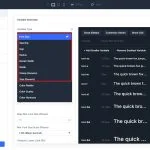
Most designers do not size things once. A heading that looks balanced at 56px on desktop can feel oversized on a phone, so you create a smaller mobile value, then a tablet value between the two. Then you repeat that work for font sizes, section padding, margins, gaps, …
Part 2 Of Mastering Flexbox: Creating Equal-Height Cards With Aligned Buttons
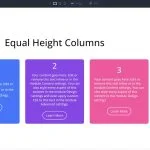
In Part 1 of our Mastering Flexbox in Divi 5 series, we explored the core settings in the Layout option group when using Flex as the Layout Style. Now it’ s time to put those controls to work on one of the most common layout challenges in web design: …
Part 1 Of Mastering Flexbox: Understanding The Core Controls In Divi 5
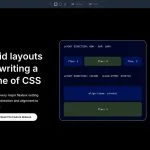
One of the most valuable improvements in Divi 5 is its native Flexbox support. It gives you clean, visual control over layout structure directly inside the Visual Builder, reducing the need for custom CSS, duplicated sections, or manual spacing workarounds. This is the first part of our Mastering…
Global Typography System For Divi 5 (Free Download!)
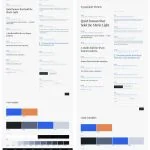
Divi 5 gives you more control over reusable design systems, especially when you pair global variables with presets and consistent typography rules. In this free pack, you’ll get a complete Global Typography System for Divi 5 with two setup options: a Fixed Scale system and a Fluid Scale…
Comparing The Font Scale Types In Divi 5’s Variable Generator

When you generate font size variables in Divi 5, one of the most important choices is the scale type. Fluid, Fixed Responsive, and Fixed Single can all create a usable typography system, but they behave differently once those variables are applied across your site. The right choice depends…
Exploring Divi 5’s New Contact Form 7 Module

Contact Form 7 is one of the most widely used form plugins in WordPress, but styling those forms inside a Divi layout has not always been straightforward. The form logic lives in Contact Form 7, while the design usually depends on theme styles or custom CSS. Divi 5…
How To Style Forms In Divi 5 (New Field Options)

A well-designed form needs more than a background color and a font size. The field text, labels, placeholders, buttons, checkboxes, radio buttons, focus states, and checked states all need to feel like part of the same design system. Divi 5 makes that easier with new form styling options….
Variable Fonts And New Text Styling Options For Divi 5
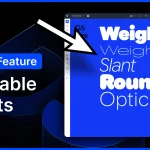
I am excited to announce variable font support and many new text styling options for Divi 5! Divi 5 now supports the latest Google Fonts collection, including variable fonts and the dozens of new controls they provide. If you aren’ t familiar with variable fonts, keep reading because they…
Exploring Divi 5’s New Gradient Options & Variables
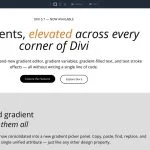
Gradients can do more than add decoration. Used well, they create depth, guide attention, connect brand colors, and make backgrounds, buttons, overlays, and text feel more intentional. Divi 5 makes gradients easier to create and manage with its new Gradient Editor, Gradient Variables, and Text Effect settings. Gradients…
How To Crop Images In Divi 5

Image cropping sounds simple until the same image needs to work in different layouts. A portrait photo might look great in a team card but awkward in a wide banner. A landscape image might fit a blog grid but lose its subject on mobile. Cropping is less about…
4 Accordions & Toggles + Nested Elements Designs For Divi 5 (Free Download)
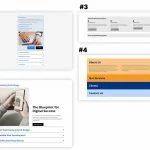
Divi 5 makes it easy to create organized, interactive sections that keep important content easy to explore. In this free pack, you’ll get 4 Accordions & Toggles + Nested Elements designs that are perfect for FAQs, service breakdowns, process sections, feature lists, about sections, client information, contact details, …
Exploring Divi 5’s New Timeline Module
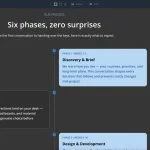
Timelines make sequences easier to understand. A company history, product roadmap, project phase, resume, onboarding process, or case study can all become easier to scan when each step follows a clear visual path. Divi 5’ s Timeline module gives you a native way to build those layouts directly in…
How To Create Cross-Canvas Interactions In Divi 5

Canvases and Interactions are two of Divi 5‘ s most useful tools for building dynamic layouts without custom code. Canvases keep off-page content organized in separate workspaces. Interactions control when that content appears, changes, or responds to a visitor. Cross-Canvas Interactions bring those two features together. A trigger on…
Divi 5.8 Release Notes
It’ s official; the beta phases have ended, and Divi 5 has arrived! This isn’ t the end; it’ s a new beginning for Divi, and we are moving forward faster than ever with weekly updates. If you use Divi 5, you’ ll see a version 5.8 update notification today. The majority of…
Divi Product Highlight: Divi Icon Library & Divi Mask Library

Divi 5 already gives you useful ways to work with icons, SVGs, masks, and background design. The native SVG module lets you add SVG markup and style it with Divi controls, while Divi’ s mask and background tools give you more ways to shape images and sections. But some…
Exploring Divi 5’s New SVG Module
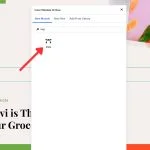
Scalable Vector Graphics, or SVGs, work differently from regular image files. A PNG or JPEG stores pixels. An SVG stores vector instructions, which is why a logo, icon, or illustration can stay sharp on a phone screen, a desktop monitor, or a large display. That flexibility makes SVGs…
Creating A Responsive Menu In Divi 5 (Using New Menu Features)
Divi 5’ s new menu tools let you build navigation from smaller, more flexible pieces instead of relying on one all-in-one menu module. That matters most on responsive sites. A desktop header, dropdown menu, and mobile overlay do not always need the same structure. With the Link module, Dropdown…
4 Tabs + Nested Elements For Divi 5 (Free Download!)
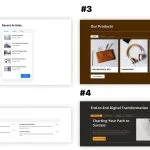
Divi 5 makes it easy to create organized, interactive sections that help visitors explore related content without overwhelming the page. In this free pack, you’ll get 4 Tabs + Nested Elements designs that are perfect for service breakdowns, product details, feature comparisons, process sections, portfolio highlights, FAQs, team…
