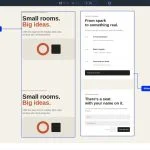
Sometimes a reusable section needs more than a different heading or button label. One page might need a workshop schedule, while another needs a booking form. You still want the surrounding design to look consistent and update from one place. Slots in Divi 5 provide an area for…
Elegant Themes
Introducing Multi-Select And Bulk Editing For Divi 5

Editing a website often means making the same change more than once. Adjust the spacing on several cards. Restyle a handful of buttons. Move a collection of modules into another column. Multi-Select and Bulk Editing bring those tasks together in Divi 5. 🎉 Select individual elements with Cmd/Ctrl-click, …
How To Build A Bento Grid Hero With Divi 5’s CSS Grid Editor

A bento grid brings images, headlines, supporting details, and calls to action into one arrangement of differently sized cards. Shared edges and consistent gaps hold the layout together, while the larger cards give important content more room. With Divi 5‘ s CSS Grid Editor, you can build that arrangement…
Exploring Components In Divi 5
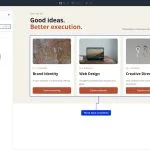
Components in Divi 5 let you reuse a design, update it from one saved source, and choose which content each use can change. We’ ll build three service cards for Brand Identity, Web Design, and Creative Direction. They share their spacing, image frames, typography, and button design, while each…
What Makes Divi 5 Presets Unique (And Better Than The Competition)

Reusable styles are only part of a design system. The way settings connect, combine, and update matters just as much once a site grows. In Divi 5, presets form a connected system: small groups of settings can feed into larger presets, while variations can be layered without duplicating…
7 UI Hero Sections For Divi 5 (Free Download!)

A strong hero section does more than introduce a page. It establishes the visual language, hierarchy, and direction for everything that follows. In this free pack, you’ ll get 7 UI Hero Sections for Divi 5, built around bold interface-inspired compositions, structured typography, layered visuals, and modern product presentation….
Divi 5.15 Release Notes

It’ s official; the beta phases have ended, and Divi 5 has arrived. This isn’ t the end; it’ s a new beginning for Divi, and we are moving forward faster than ever with weekly updates. If you use Divi 5, you’ ll see a version 5.15 update notification today. If you want…
How To Read And Edit Grid Offset Rules Visually In Divi 5
Grid Offset Rules control where items begin and how many rows or columns they span in Divi 5. A rule on the container can widen every fifth card, stretch a featured item across two rows, or place an item in a specific column. Repeating rules also apply to…
Introducing Components and Slots for Divi 5

Divi Components and Slots have arrived, introducing a completely new way to build reusable designs in Divi 5. 🎉 This is one of the most important updates to Divi since Variables and Presets! Components are the evolution of Divi’s Global Elements. They retain the power of globally synchronized…
How To Use Divi AI Agents Context

When a page has several buttons, a request like “update the button in the pricing section” can leave room for interpretation. Divi AI Agents can work with your page structure, but attaching the exact element makes your target clearer. Context lets you reference a module, preset, variable, page, …
7 Text Background Clips For Divi 5 (Free Download!)
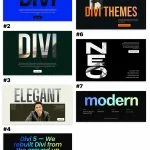
A large word can become more than typography when the image or texture behind it becomes part of the letterforms themselves. In this free pack, you’ ll get 7 Text Background Clip Sections for Divi 5, using oversized type, imagery, contrast, and structured layouts to turn text into a…
Exploring Divi 5’s New Payment Button Module

Divi 5‘ s Payment Button Module lets you accept payments through PayPal or Stripe without setting up a full online store. Add the module to your page, connect your payment resource, and style the button in the Visual Builder. Visitors then complete their payment through the provider’ s checkout. The…
How To Build A Filterable WooCommerce Product Grid In Divi 5
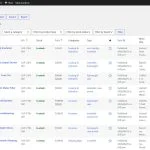
A product grid gives shoppers a way to browse your catalog. Search, filters, and sorting help them narrow that catalog to products that fit their needs. In Divi 5, the Loop Builder lets you create custom product cards and repeat them in a grid, while the Post Filter…
Building And Designing A Loop With Divi AI Agents

Divi AI Agents let you build and edit websites through conversation. Inside Divi 5, the interface sits beside the page in the Visual Builder and can create sections, rows, and modules while you watch. Attach a screenshot and describe the layout you want. Divi AI Agents can build…
Divi 5.14 Release Notes

It’ s official; the beta phases have ended, and Divi 5 has arrived. This isn’ t the end; it’ s a new beginning for Divi, and we are moving forward faster than ever with weekly updates. If you use Divi 5, you’ ll see a version 5.14 update notification today. If you want…
Divi 5 Product Highlight: Divi Overlays Popups

Contact forms, videos, and product details can be useful without needing a permanent place on the page. A pop-up lets visitors open that content when they need it while keeping the main layout focused. Divi Overlays by Divi Life gives that content a second layer. It is a…
6 Text With Background Designs For Divi 5 (Free Download!)

A background behind a few words can change the emphasis of an entire section. In this free pack, you’ ll get 6 Text With Background Designs for Divi 5, combining bold typography, contrasting color, and supporting imagery to give your message a clear focal point. These styled sections work…
How to Use Divi AI Agents Commands
When you use Divi AI agents to review several pages, the same tasks often come up: checking image alt text, reviewing responsive layouts, or updating calls to action. Saving a useful prompt means you can reuse those instructions on the next page. Commands exist for exactly this. They…
How to Use Divi AI Agents Rules

Keeping a website consistent means carrying the same brand voice, design choices, and layout conventions into each new task. Repeating those instructions in every AI prompt adds work, especially when you are building several pages for the same client. Divi AI Agents let you save that guidance as…
Filtering Loops With Custom Fields In Divi 5
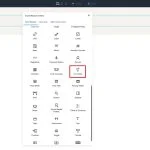
The Loop Filter Modules in Divi 5 let visitors search and refine content directly on your website. Beyond categories and tags, you can connect filters to custom fields for details such as price, bedroom count, and location. In this tutorial, we build a property directory with a Loop…
